How to Use Tally for GST, Accounting, and Inventory Management
Learn how to use Tally for GST compliance, accounting, and inventory management with this step‑by‑step guide, and discover how Tally simplifies billing, stock tracking, and financial reporting for Indian businesses.
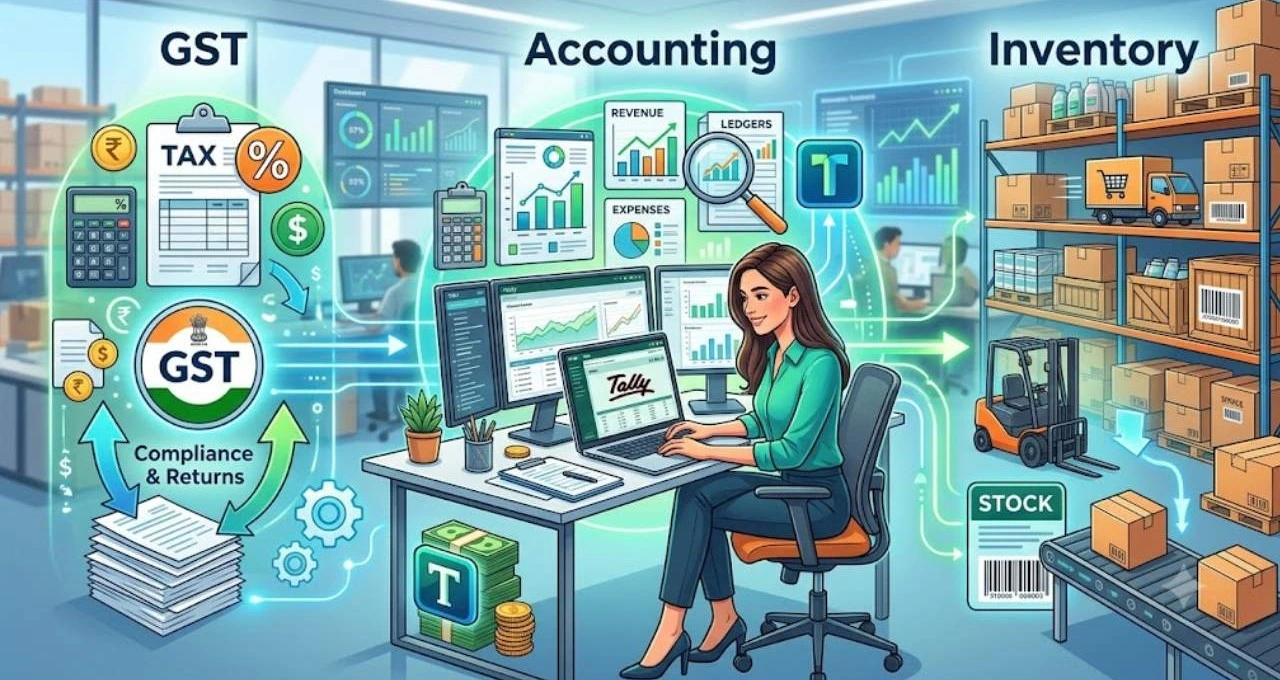
Managing business finances without proper software feels like trying to navigate a storm without a compass. This is exactly where Tally Solutions comes into play. Tally has become one of the most widely used accounting systems in India, especially for businesses dealing with GST compliance, inventory tracking, and financial reporting. The reason behind its popularity is simple—it brings everything under one roof. Whether it is billing, tax calculation, or stock management, Tally simplifies complex financial operations into a structured workflow. Businesses ranging from small traders to large enterprises depend on it for daily accounting tasks. With GST rules becoming more structured and strict, tools like Tally are no longer optional; they are essential.
In this guide, you will understand how Tally works step by step, from setup to advanced inventory management. Think of it like learning to drive a car—you start with ignition, then gears, and finally highway speed accounting.
Overview of Tally Prime Software
Tally has evolved significantly over the years. Earlier versions like Tally ERP 9 focused mainly on basic accounting. Today, Tally Prime is designed as a full-fledged business management system that handles accounting, GST compliance, banking, and inventory in one platform. Recent updates to Tally Prime have introduced smarter automation features like connected banking, faster GST reconciliation, and improved reporting systems . These improvements make it easier for businesses to stay compliant without spending hours on manual work.
Evolution of Tally ERP to Tally Prime
The transition from ERP 9 to Prime was not just a name change. It introduced a cleaner interface, faster navigation, and better usability. Earlier, users had to memorize complex shortcuts, but now the workflow is more intuitive. You can search, navigate, and edit transactions with ease.
Role of Tally Solutions in India’s Accounting Ecosystem
India’s business environment heavily relies on GST-based compliance. Tally plays a central role by ensuring businesses can generate accurate invoices, calculate taxes, and file returns without confusion. It functions as a never-sleeping digital accountant.
Setting Up Tally for the First Time
1. Tally
Before entering transactions, proper setup is essential. Without correct configuration, GST reports and inventory records can become inaccurate.
2. Creating a Company in Tally
The first step is creating a company profile. You need to enter business name, address, financial year, and currency. This forms the foundation of your accounting system. Once created, all transactions are recorded under this company.
3. Configuring Basic Company Settings
After creation, you must configure settings such as:
Financial year start and end
GST registration status
Accounting features
Inventory settings
These settings ensure that Tally understands your business structure correctly.
GST configuration is one of the most important steps. Without it, your invoices will not be tax-compliant.
Enabling GST Features To enable GST, you must activate tax settings in the company configuration. Once enabled, Tally automatically calculates tax on transactions based on rules applied.
Adding GST Details in Ledger Masters Each party—customers, suppliers, or expense accounts—must have GST details added in their ledger. This includes GSTIN, registration type, and applicable tax rates.
Recording GST Transactions in Tally
Once setup is complete, the real work begins—recording transactions.
Sales Entries Under GST When creating a sales invoice, Tally automatically applies GST based on the item or service. You simply select the customer, items, and quantities. The software calculates CGST, SGST, or IGST depending on the transaction type.
Purchase Entries and Input Tax Credit
Purchases are equally important. When you record a purchase, GST paid becomes Input Tax Credit (ITC), which can be adjusted against output tax. This ensures businesses avoid double taxation.
GST Reporting and Return Filing
One of Tally’s strongest features is automated GST reporting.
Generating GSTR-1 and GSTR-3B Reports With a few clicks, you can generate GST reports like GSTR-1 and GSTR-3B. These reports summarize sales, purchases, and tax liabilities. According to recent updates, Tally now supports direct upload and reconciliation features for GST returns . You can assign roles, share files, and even comment on specific tasks to ensure total transparency.
Accounting in Tally is structured and easy to manage once you understand the basics.
Ledger Creation and Voucher Entry Ledgers represent accounts like cash, bank, sales, and expenses. Every transaction is recorded using vouchers. This system ensures accuracy and traceability.
Inventory Management in Tally
Inventory management is one of Tally’s most powerful capabilities. It helps businesses track stock levels in real time.
Stock Item Creation and Tracking You can create stock items by entering product details, units, and opening stock. Once created, every purchase and sale automatically updates inventory levels.
Advanced Inventory Features
Godown Management and Batch Tracking
For businesses with multiple storage locations, Tally allows godown management. You can also track batch numbers, expiry dates, and serial numbers for better control.
Bank Reconciliation in Tally
Bank reconciliation ensures that your books match your actual bank statements.
Automating Bank Transactions Tally allows importing bank statements and automatically matching transactions. This saves time and decreases human mistake.
Profit & Loss and Balance Sheet Reports You can instantly generate financial statements like Profit & Loss and Balance Sheet. These reports help business owners understand financial health at a glance.
Common Mistakes and How to Avoid Them
Many users make errors like incorrect GST setup, wrong ledger classification, or missing stock entries. These mistakes can distort reports. Always double-check GST configuration and ensure consistent data entry practices.
Benefits of Using Tally for Business Growth
Using Tally brings multiple advantages:
Faster accounting processes
Accurate GST compliance
Real-time inventory tracking
Better financial decision-making
Reduced manual errors
It acts like a control center for your business finances.
Conclusion
Tally is more than just accounting software—it is a complete business management system. From GST compliance to inventory tracking, it simplifies complex financial operations into structured workflows. Once you understand its setup and features, managing business finances becomes significantly easier and more efficient.