

A Complete Guide to Weblium.com for Building Professional Websites
Looking for an affordable, no-code way to build a professional website? This complete guide explores Weblium.com, an AI-powered website builder designed for small businesses, freelancers, and agencies. Learn how Weblium.com combines drag-and-drop editing, 350+ modern templates, and an AI Design Supervisor to help you create mobile-ready sites in minutes—without coding. Discover key features like built-in SEO tools, eCommerce capabilities, free hosting with SSL, and flexible pricing plans starting from a free tier to Pro subscriptions.
Table of Contents
ToggleIntroduction: What Is Weblium.com?
Weblium.com is a no-code website builder designed for individuals, entrepreneurs, freelancers, agencies, and businesses that want to create professional websites without advanced coding knowledge. Instead of building every element from scratch, users can choose from ready-made templates, customize sections visually, add content, and publish their websites through a single platform. This approach makes website creation considerably easier for people who want a polished online presence without hiring a developer for every small change.
Weblium combines website design, hosting, SEO tools, responsive layouts, forms, integrations, blogging, and e-commerce capabilities depending on the selected plan. Its visual editor allows users to modify text, images, buttons, colors, sections, and other design elements while seeing the results immediately. The platform also provides AI-powered tools that can help generate website structures and content. For a small business trying to move quickly, this combination can turn website creation from a complicated technical project into a manageable marketing task.
Why Choose Weblium for a Professional Website?
The biggest attraction of Weblium.com is its balance between simplicity and professional design. A website needs to look attractive, but it also needs clear navigation, mobile responsiveness, useful content, search-engine optimization, and strong calls to action. Weblium provides tools that address many of these requirements without forcing users to work directly with HTML, CSS, or server configuration.
Its template-based approach is particularly useful for beginners. Rather than staring at a blank page, you start with an established layout and adapt it to your business. You can replace sample content with your own information, change the visual identity, rearrange sections, and add pages as needed. The result can be a business website, portfolio, landing page, service website, blog, or online store.
No-Code Website Creation
With a no-code builder, you do not need to understand programming before publishing a website. This can be especially useful for entrepreneurs who want control over their online presence. Instead of contacting a developer whenever you need to change a phone number, service description, image, or button, you can make many updates yourself.
That flexibility also saves time. A professional website is never truly finished because businesses constantly change their offers, promotions, team information, and content. A visual editor makes those ongoing updates much easier.
Weblium Templates and Design Features

Weblium offers a large collection of professionally designed templates covering different industries and website purposes. These templates provide useful starting points for businesses such as consulting firms, restaurants, agencies, photographers, coaches, technology companies, and online stores.
A smart approach is to choose a template based on its structure rather than its colors. Colors, fonts, images, and text can be changed, while the underlying layout may save considerable design time. Once you choose a template, customize the branding, rewrite the content, replace generic images, and remove sections that do not serve your audience.
Weblium also provides reusable blocks and global styling options. These features help maintain consistency across pages. Consistent typography, button styles, spacing, and colors make a website feel more professional because visitors experience a unified brand instead of a collection of unrelated pages.
How Weblium's AI Website Builder Works
Weblium has incorporated AI into its website-building process to help users get started faster. The AI website builder can generate an initial website based on information about a business, giving users a starting point that can subsequently be customized.
AI is most useful here as a starting assistant, not as a replacement for human judgment. It can help create initial layouts and content ideas, but business owners should carefully review everything before publishing. Generic AI-generated copy can sound similar to thousands of other websites, so it should be rewritten to reflect the company’s personality, customers, expertise, and unique selling proposition.
How to Build Your First Weblium Website
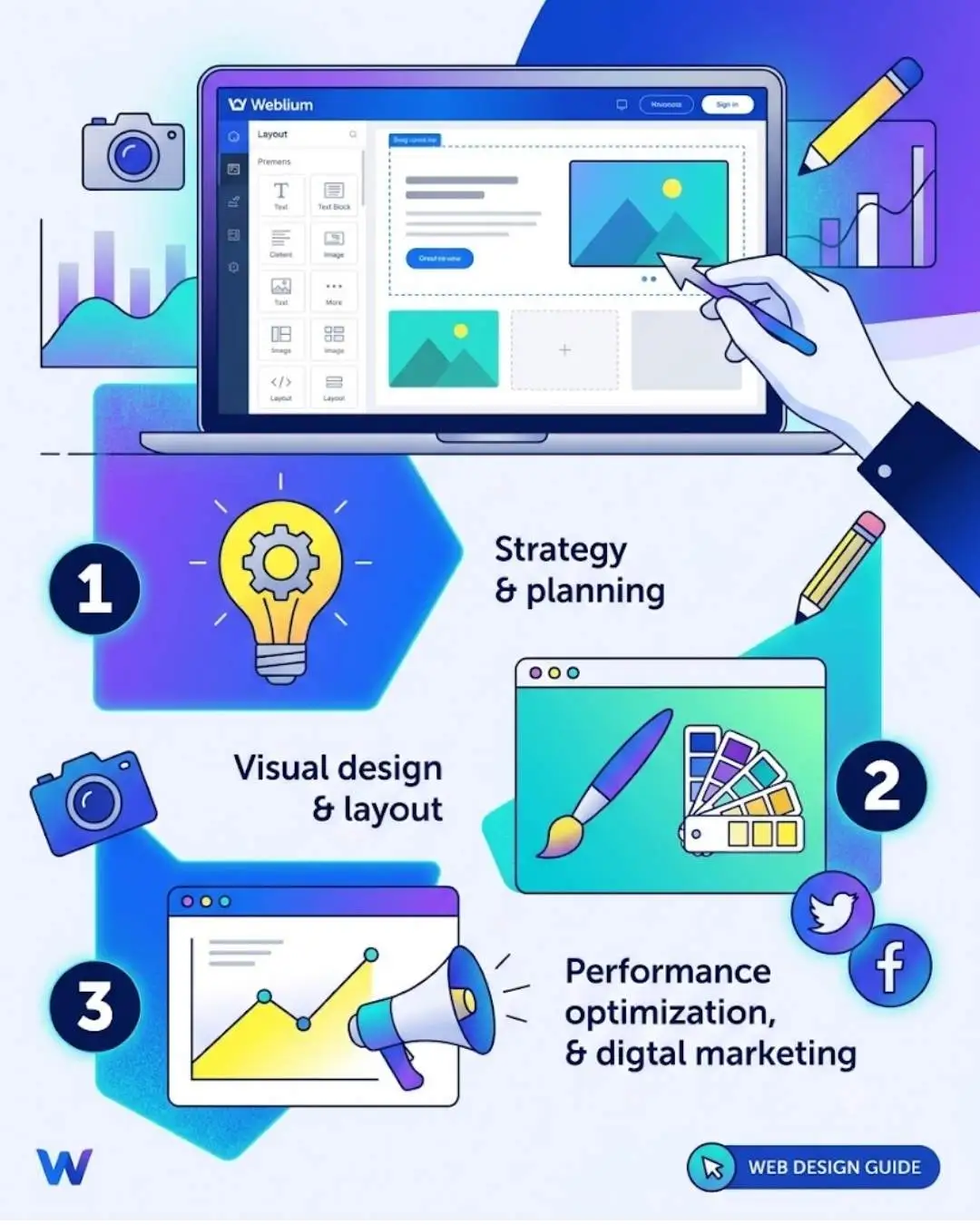
Creating a website with Weblium.com generally involves selecting a template or AI-generated starting point, editing the design, adding pages, configuring site settings, optimizing content, and publishing the finished website.
Before opening the editor, create a simple sitemap. A service business might need Home, About, Services, Portfolio, FAQ, and Contact pages. An online store may require product categories and individual product pages. Planning first prevents you from creating attractive sections without a logical customer journey.

Choosing and Customizing a Template
Select a template that closely matches your business model. Then replace the placeholder logo, text, images, colors, and contact information. Your homepage should quickly communicate what you offer, who you help, and why visitors should choose you.
Avoid adding every available section simply because the template provides it. Each section should have a purpose. Testimonials should build trust, service sections should explain value, and calls to action should guide visitors toward contacting you, requesting a quote, booking an appointment, or purchasing something.
Weblium SEO Features
A professional website needs visibility as well as good design. Weblium.com includes SEO features that can help users optimize pages for search engines. These include customizable URLs, page titles, meta descriptions, heading controls, image alt text, redirects, sitemap functionality, canonical settings, and structured-data support.
However, SEO is not automatic. A website can have technically correct SEO settings and still receive little organic traffic if its content is weak or irrelevant. Focus on search intent, useful information, logical internal linking, descriptive headings, and original content that genuinely answers customer questions.
Mobile optimization is equally important. Visitors increasingly browse websites on smartphones, so check every page on smaller screens. Make sure buttons are easy to tap, text remains readable, images display correctly, and important information does not become buried.
Blogging and Content Marketing
A blog can turn a simple business website into a long-term traffic channel. Instead of publishing random articles, create content around the questions your customers ask before making a purchasing decision.
For example, a marketing agency could publish guides about SEO, content strategy, social media, and website conversion. These articles can attract visitors through search engines while demonstrating expertise. Over time, useful content can support brand awareness, organic traffic, and lead generation. Weblium.com‘s blogging capabilities make it possible to keep educational content within the same website rather than maintaining a completely separate publishing platform.
Building an Online Store With Weblium
Weblium also supports e-commerce functionality on appropriate plans. Businesses can create product pages, organize products into categories, manage shopping-cart functionality, and accept online payments.
For smaller online businesses, having website pages and e-commerce features together can simplify management. You can explain your brand, publish helpful content, showcase products, and direct customers toward purchases from one website.
A successful store still depends on strong product presentation. Use clear product photography, informative descriptions, transparent pricing, delivery details, and straightforward calls to action. A beautiful storefront cannot compensate for confusing product information.
Weblium Pricing and Plans
Weblium currently offers different plans designed for different website requirements, including a Free option and paid plans such as Starter and Business. The free option can be useful for experimenting, while paid plans provide additional capabilities for professional business websites. Business-level functionality is aimed at projects requiring features such as online stores, blogging, and multilingual capabilities.
Because pricing and promotions can change, check Weblium’s official pricing page before purchasing. More importantly, choose your plan based on functionality rather than simply selecting the cheapest option.
Plan type | Best suited for | Typical purpose |
Free | Beginners and experiments | Basic website projects |
Starter | Small businesses and professionals | Business websites and lead generation |
Business | Growing businesses | Stores, blogs, and advanced website needs |
Advantages and Limitations of Weblium
Weblium offers several important advantages. Its visual editor reduces the need for coding, templates accelerate design, responsive features support mobile users, and built-in hosting simplifies technical management. SEO, forms, integrations, AI tools, blogging, and e-commerce features can also reduce the number of separate services a business needs.
There are limitations as well. Businesses requiring highly customized applications, unusual backend functionality, or extensive programming may eventually need a more flexible development platform. A subscription-based builder also means that website expenses continue over time.
The right question is therefore not whether Weblium.com can do everything. It is whether Weblium can efficiently handle what your business actually needs.
Tips for Creating a Professional Weblium Website
Start with your customers rather than your design preferences. Identify what visitors want to know and make those answers easy to find. Keep your navigation simple, write clear headlines, use high-quality images, and avoid overcrowding pages with unnecessary animations or decorative elements.
Your homepage should have a strong value proposition near the top. Every important page should contain an appropriate call to action. Use testimonials, case studies, certifications, reviews, or other legitimate proof to establish credibility.
Finally, test your website before publishing. Check links, contact forms, spelling, mobile layouts, images, page titles, and buttons. A five-minute quality check can prevent surprisingly embarrassing mistakes.

Is Weblium Good for Businesses and Freelancers?
For small businesses, freelancers, agencies, consultants, and entrepreneurs, Weblium.com can be a practical choice when speed and simplicity matter. A freelancer can create a portfolio, an agency can launch a service website, and a local company can build a site designed to generate inquiries.
It is particularly useful when the website is primarily a marketing and communication tool rather than a complicated software application. If your goal is to present services, attract leads, publish content, build credibility, or sell products, Weblium provides many of the necessary building blocks.
Conclusion
Weblium.com provides an accessible way to create professional websites without requiring advanced development skills. Its combination of templates, visual editing, responsive design, SEO tools, AI assistance, hosting, lead-generation features, blogging, and e-commerce functionality makes it a versatile option for many modern businesses.
The platform can simplify the technical side of website creation, but your strategy still determines the final result. Strong messaging, useful content, consistent branding, fast pages, mobile usability, and clear calls to action are what transform a basic website into an effective business asset.
If you want a professional website without the complexity of traditional development, Weblium is certainly a platform worth exploring.
Frequently Asked Question
A. Yes, Its visual editor, templates, and no-code approach make it accessible to users without advanced programming knowledge.
A. Yes, Weblium provides various SEO controls, but rankings depend on content quality, technical optimization, competition, authority, and search intent.
A. Yes, E-commerce functionality is available through the appropriate Weblium plan, allowing businesses to showcase products and process online orders.
A. Yes, Weblium provides managed website hosting, allowing users to publish their websites without arranging separate traditional hosting.
A. For many small businesses, freelancers, and service providers, Weblium can be worthwhile because it combines website design and several essential business features in one platform.
Related Post