
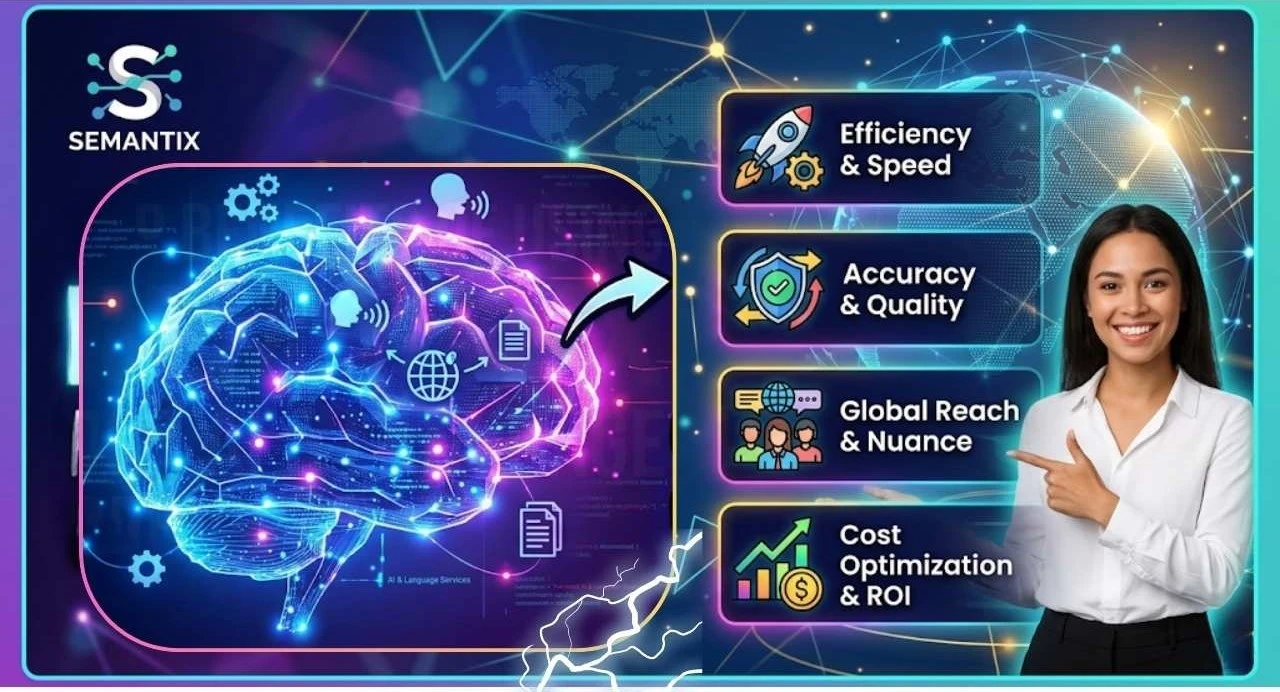
Top Benefits of Using Semantix for AI and Language Services
Discover how Semantix revolutionizes global communication and business intelligence by integrating advanced AI with expert-led language services. This post explores how Semantix leverages cutting-edge technology to provide precise, context-aware translations and intelligent enterprise solutions that help brands scale across international markets.
Table of Contents
ToggleIntroduction to Semantix
The internet erased physical borders, but it did not erase language barriers. Businesses can now reach customers on the other side of the planet with a single click, yet communication still determines whether those customers trust a brand or leave within seconds. Imagine walking into a store where every sign, instruction, and product description is written in a language you barely understand. That’s how millions of online consumers feel every day when businesses fail to localize their content properly.
Research consistently shows that people prefer purchasing products and services in their native language. Companies that ignore localization are essentially leaving money on the table. AI-powered language services have become essential because they allow businesses to communicate faster, more accurately, and at a larger scale than ever before. Traditional translation alone cannot keep up with the speed of modern digital business. Websites update constantly, mobile apps evolve weekly, and global marketing campaigns require instant adaptation for multiple regions.
This is where Semantix becomes highly relevant. The company combines AI-driven tools with human linguistic expertise to streamline multilingual communication. According to Semantix, its services include translation, localization, AI-assisted proofreading, multilingual copywriting, interpreting, subtitling, and workflow automation solutions. Businesses using these services gain the ability to scale communication across markets without sacrificing quality.
AI has transformed language services from a slow manual process into a fast, intelligent ecosystem. Modern businesses no longer want simple word-for-word translation. They need context-aware communication that adapts culturally and emotionally to local audiences. This shift explains why AI-enhanced language providers are becoming increasingly valuable worldwide.
Why Global Businesses Need Multilingual Solutions
Global expansion sounds exciting until businesses encounter the complexity of multilingual communication. A product description that works perfectly in English might sound awkward, confusing, or even offensive when translated poorly into another language. Localization is not just about changing words—it’s about adapting meaning, tone, culture, and customer expectations.
Modern consumers expect brands to speak their language naturally. Studies frequently cited across the localization industry show that customers are significantly more likely to trust and buy from businesses that communicate in their native language. This trend has become even stronger as e-commerce, streaming services, SaaS platforms, and global digital marketing continue growing rapidly.
Semantix helps businesses address these challenges by offering multilingual communication support across more than 170 languages. This global reach allows companies to scale internationally without constantly rebuilding communication systems for each new market.
Key Features of Semantix

1. The Rise of AI in Translation and Localization
Artificial intelligence has dramatically accelerated the translation industry. Machine translation tools can now process enormous volumes of text within seconds, helping businesses move much faster than traditional manual workflows allowed. However, AI alone still struggles with cultural nuance, humor, idioms, tone, and industry-specific terminology.
That’s why hybrid models combining AI with human expertise are becoming the industry standard. Semantix specifically emphasizes AI-assisted translation workflows combined with professional language specialists who proofread, optimize, and adapt content.
Think of AI as a turbocharged engine and human linguists as experienced drivers. The engine provides speed, but the driver ensures accuracy, direction, and contextual understanding. Businesses benefit from both efficiency and quality when these systems work together effectively.
Understanding Semantix and Its Global Reach
Semantix has built a strong reputation within the multilingual communication and localization industry. Founded in 1969 in Sweden, the company originally focused on helping Nordic businesses communicate internationally through translation and interpreting services. Over the decades, Semantix evolved from a regional translation provider into a global language technology company.
Today, Semantix offers a broad range of services including translation, interpretation, localization, AI-enhanced proofreading, multilingual copywriting, app localization, website translation, and multimedia adaptation. The company works with both public and private sector organizations across industries such as healthcare, finance, legal services, manufacturing, and technology.
One of the biggest advantages Semantix offers is scalability. Many smaller translation agencies can handle limited projects, but global enterprises require infrastructure capable of supporting massive multilingual operations. Semantix integrates technology, workflow management systems, and AI-powered tools to help businesses deliver multilingual content quickly and efficiently.
The company’s merger with TransPerfect in 2021 significantly expanded its international capabilities. According to official announcements, Semantix became part of the TransPerfect family while continuing to operate under its own management structure. This partnership strengthened access to global resources, technology infrastructure, and enterprise-scale language solutions.
Company Background and Industry Presence
That longevity matters because multilingual communication is not an easy field to dominate. Companies need linguistic expertise, technological innovation, operational efficiency, and deep understanding of regional markets.
According to company information, Semantix works with thousands of language specialists worldwide and supports communication in over 170 languages. The company also handles over 2,000 interpreting projects daily across multiple industries.
This scale demonstrates the growing demand for multilingual communication services. Businesses increasingly rely on localization not only for translation but also for marketing adaptation, customer support, compliance documentation, and global brand consistency.

Partnership With TransPerfect
The 2021 merger between Semantix and TransPerfect significantly increased Semantix’s global reach. TransPerfect is recognized as one of the world’s largest language and technology service providers.
This partnership gave Semantix access to broader infrastructure, advanced technologies, and international operational capabilities. Businesses working with Semantix benefit from both local expertise and large-scale global resources.
The merger also reflects a broader trend within the language services industry: consolidation around AI-powered global communication ecosystems. Companies increasingly seek integrated solutions capable of handling translation, localization, AI workflows, and multilingual content management under one roof.
AI-Driven Translation and Localization Solutions
One of the biggest benefits of using Semantix is its hybrid approach to AI and human expertise. Fully automated translation systems often fail when handling nuanced communication. They might translate words correctly but completely miss tone, emotion, humor, or cultural context. On the other hand, purely human translation workflows can become expensive and slow when managing large-scale projects.
Semantix bridges this gap by combining AI-powered translation technology with professional linguists who refine and optimize the output. According to Semantix, the company provides proofreading and editing services specifically designed for AI-translated content. This creates a balance between efficiency and accuracy.
Businesses today produce massive amounts of content—product descriptions, blogs, social media posts, app interfaces, support documents, legal files, and marketing campaigns. Translating this volume manually would take enormous time and resources. AI accelerates the process, while human reviewers ensure the final content feels natural and locally relevant.
This model is especially valuable for industries where precision matters. Medical translation, legal documentation, and financial communication cannot tolerate major errors. AI-powered assistance speeds up workflows, but expert linguists provide the critical oversight needed for reliability and compliance.
Combining Human Expertise With AI
AI translation systems excel at processing speed and pattern recognition. Human linguists excel at understanding meaning, culture, and emotional nuance. Semantix leverages both strengths to deliver more accurate multilingual communication.
For example, a machine translation system might correctly translate a marketing slogan word-for-word while completely losing the emotional appeal that made the original slogan effective. Human experts can adapt the content creatively while preserving the intended message.
This collaboration between AI and humans is becoming the future standard for enterprise localization. Businesses need speed, but they also need communication that feels authentic and trustworthy to local audiences.
Faster Content Delivery Across Markets
Speed matters enormously in modern business. Product launches, software updates, marketing campaigns, and customer support operations often happen simultaneously across multiple countries. Delayed translation can slow entire business operations.
Semantix addresses this challenge through AI-powered workflows and translation management systems that streamline multilingual content delivery. Businesses can publish localized content faster without sacrificing quality.
Imagine trying to launch a mobile app globally while manually translating every update into dozens of languages. Without automation and workflow integration, the process becomes painfully slow. AI-enhanced localization systems help businesses scale internationally with much greater efficiency.
Multilingual Communication at Scale
Scaling multilingual communication is incredibly difficult without the right systems. Small translation projects are manageable manually, but enterprise-level operations involve thousands of documents, websites, customer interactions, and digital assets across multiple languages.
According to company information, the organization integrates client systems such as CMS, CRM, and PIM platforms with translation management systems to streamline multilingual workflows. This integration reduces bottlenecks and improves operational efficiency.
The company’s ability to support more than 170 languages provides major advantages for businesses operating globally. Instead of managing multiple regional agencies, businesses can centralize multilingual operations through a single provider.
Customers expect the same quality experience regardless of language or geography. Businesses that fail to maintain consistency risk damaging brand trust and customer loyalty.
Supporting More Than 170 Languages
Managing communication across 170+ languages requires enormous linguistic infrastructure.
This broad language coverage allows businesses to enter emerging markets more effectively. Companies no longer focus solely on major languages like English, Semantix Spanish, or Mandarin. Modern global expansion often requires support for regional dialects and smaller language markets.
The ability to localize content accurately across many languages creates a significant competitive advantage in international business.
Handling High-Volume Translation Projects
Large enterprises often manage massive content ecosystems including websites, mobile apps, customer support systems, training materials, contracts, and marketing campaigns. Translating these assets manually without automation would create enormous delays.
Semantix uses workflow automation and AI-assisted tools to improve efficiency while maintaining quality standards. This combination helps businesses manage large-scale multilingual communication without overwhelming internal teams.
Security, Compliance, and Quality Standards
Security is a major concern in language services, especially for industries handling sensitive information. Healthcare providers, legal firms, financial institutions, and government agencies cannot risk exposing confidential data during translation processes.
Semantix emphasizes compliance and security through multiple ISO certifications including ISO 9001, ISO 14001, ISO 27001, and ISO 17100. These certifications reflect standards related to quality management, environmental management, information security, and translation services.
Quality assurance also matters tremendously. Poor translation damages credibility and creates operational risks. Semantix combines AI-powered tools with human review systems to maintain high translation quality across industries.
Businesses increasingly prioritize providers capable of balancing speed, scalability, accuracy, and data protection. Semantix positions itself strongly in this area by combining technological innovation with structured quality management systems.


The Future of AI and Language Services
AI and multilingual communication are becoming deeply interconnected. Businesses now expect intelligent systems capable of translating, localizing, adapting, and optimizing content automatically across markets. This trend will only accelerate as generative AI, large language models, and enterprise automation continue evolving.
Semantix appears strongly positioned within this future landscape. The company already integrates AI-powered tools, workflow automation, multilingual communication systems, and localization expertise into its service model.
The future of global business depends heavily on communication. Companies capable of speaking naturally and effectively across languages will outperform competitors struggling with localization gaps. AI-powered language services are no longer optional—they are becoming essential infrastructure for global growth.
Conclusion
Language is one of the most powerful business assets in the modern world. Companies that communicate effectively across cultures and markets gain enormous advantages in customer trust, brand expansion, and global growth. Semantix has positioned itself as a leading provider of AI-powered language and localization services by combining advanced technology with deep human expertise.
From multilingual translation and app localization to AI-enhanced proofreading and workflow automation, Semantix offers businesses scalable solutions for global communication challenges. Its integration of AI tools with professional linguistic oversight creates a balance between speed and quality that modern enterprises increasingly demand.
As international business continues expanding digitally, multilingual communication will become even more critical. Companies that invest in strong localization strategies today will likely dominate tomorrow’s global markets. Semantix stands out as a partner capable of helping businesses navigate this increasingly multilingual and AI-driven future.
Frequently Asked Question
A. Semantix specializes in multilingual communication services including translation, localization, interpretation, AI-assisted proofreading, app localization, and multilingual content management.
A. Semantix supports more than 170 languages through its global network of translators and language specialists.
A. Yes. Semantix combines AI-powered translation technology with human linguistic expertise to improve speed, scalability, and translation quality.
A. Yes. Semantix merged with TransPerfect in 2021 while continuing to operate under its own management structure.
A. AI-powered language services help businesses communicate faster, localize content efficiently, reduce operational costs, and scale internationally while maintaining communication quality.
Related Post